
What Kind of Projects Can Students Build with a Humanoid Robot?
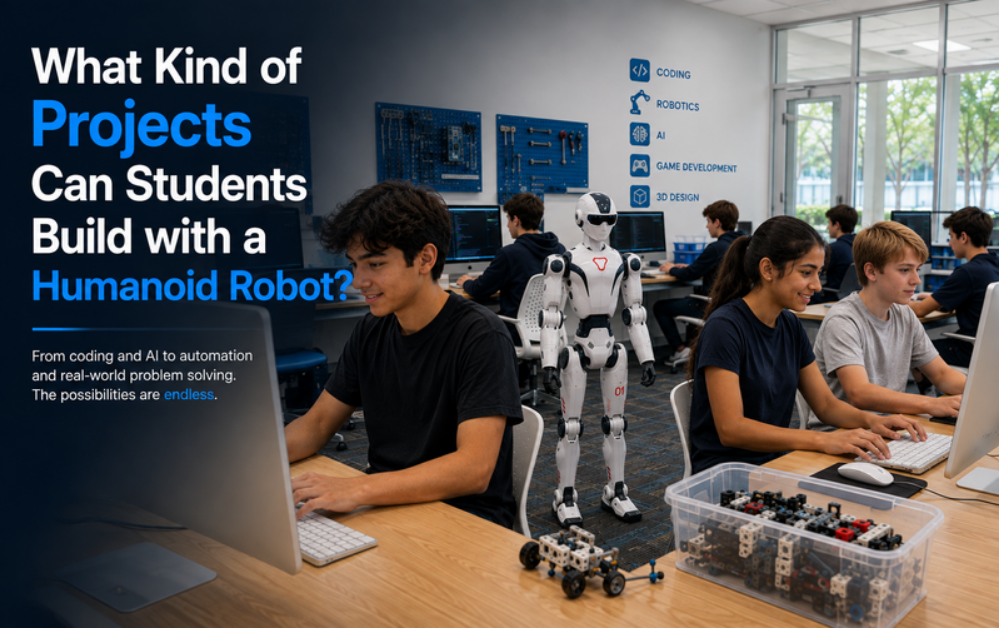
Ann Arbor has always been a place where new engineering ideas get tested first — and now its students get to test their own robotics projects.
A humanoid robot only becomes interesting once students start building with it. Here’s a real look at what that building process covers, step by step.
The First Kind of Project Students Build
Teaching the Robot to Move With Purpose
One of the first projects students take on is teaching the robot to walk a set path and hold its balance while turning. It sounds basic, but underneath it is real engineering: coordinating multiple joints, correcting for small shifts in weight, and stopping cleanly at a target. Students see immediately whether their code worked, because the robot either stays upright or it doesn’t.
Interactive Projects Students Build
Voice and Gesture-Triggered Responses
Interaction-based projects tend to be favorites. Students program the robot to wait for a signal — a spoken word or a gesture — and respond with a specific, matching action.
Building a Follow-the-Leader Routine
This is usually where students combine everything they’ve learned — sensing and movement together — to build a robot that follows a person or walks through a short, guided sequence of stops.
Projects That Use Sensors and Cameras
Programming the Robot to Identify What It Sees
With movement out of the way, students move on to perception: programming the robot to use its onboard cameras to identify an object and act on what it sees, rather than following a blind, fixed path.
The Process Behind the Project
Students start by defining what the robot should look for, write the code that checks the camera feed against that target, then test and adjust until the robot reliably tells the right object apart from the wrong one — and finally add the motion that lets it act on that decision.
From Idea to Working Project in Ann Arbor, MI
The Youth Innovation Program
None of this is theoretical at iCode Ann Arbor. The Youth Innovation Program gives students eight weeks of mentor-led time with a real humanoid robot, building projects like these from the ground up.
Where Projects Get Personal
Choreographed Movement Routines
A favorite way to close out the program is building a custom movement sequence — planning each step and gesture, then coding the timing so the whole routine flows together.
Building an Obstacle-Avoidance Project
Another common capstone is an obstacle course, where students set up barriers and program the robot to detect and navigate around them using its onboard sensors.
Why These Projects Matter Beyond the Robot
Every project on this list teaches something that outlasts the robot itself.
- Approaching a challenge one step at a time
- Troubleshooting instead of guessing
- Understanding the link between sensing and action
- Communicating how a finished build actually works
Frequently Asked Questions
What does a typical project look like from start to finish?
Students define a goal, write and test the code, troubleshoot what doesn’t work, and refine it until the robot performs the task reliably.
Are the projects the same every week?
No. Projects build on each other, starting with movement and balance and progressing toward sensing, interaction, and capstone-level work.
Does my child need their own robot to practice at home?
No. All hands-on work happens during sessions using the program’s robot, guided by a mentor.
What age range is this designed for?
The program is designed to scale across a range of ages, with project complexity adjusted to match each student’s level.
See what’s possible for your student in Ann Arbor at iCode Ann Arbor.