
Why We Brought Emerging Technologies Into Our Classrooms at iCode Cupertino
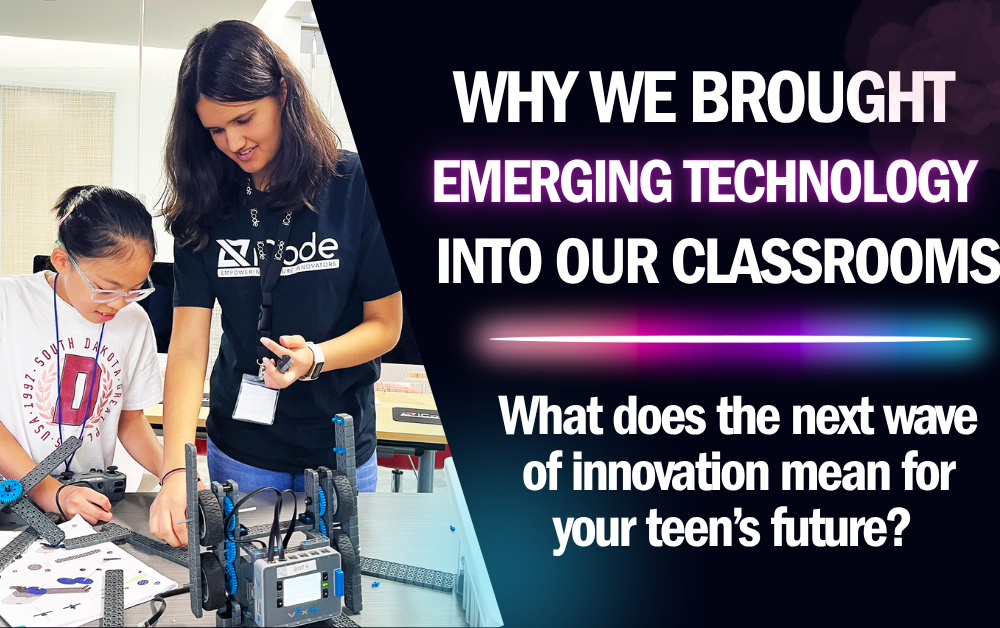
Many classrooms treat technology in education as something to talk about. We treat it as something to use. At iCode Cupertino, students operate working tools themselves, because we have found that hands-on use is where understanding takes hold. Cupertino sits in the middle of Silicon Valley, where technical fluency is part of everyday conversation.
The Difference Between Learning About Technology and Learning With It
There is a real gap between reading about how a robot senses its environment and watching a sensor reading change as you move your hand in front of it. The second version sticks. The first rarely does.
Why Passive Learning Falls Short
Passive learning is not useless. It simply stops short. Comfort with a tool comes from using it, getting things wrong, and correcting them.
What Changes When Students Get Hands-On
Give a student a working tool, and the questions get sharper. “What does this do?” turns into “Why did it not do what I expected?” Asking that builds real problem-solving skill.
What This Looks Like in Our Classrooms
Real Robotics, Not Simplified Toys
In the Humanoid Robotics program at iCode Cupertino, students work with genuine robotics hardware. They program it themselves. There is no simplified simulation standing in for the real thing.
Instructors Who Guide, Not Just Demonstrate
Before students touch the controls, a teacher walks them through the ideas behind the task. The instructor then stays close as students work. The technology is the tool, and the teacher does the teaching.
Why Mentorship Still Matters Most
No piece of technology, on its own, teaches a student how to think through a problem. That happens through a mentor who asks the right question at the right moment. The mentor then lets the student work out the answer.
An Everyday Example
Picture a student whose code sends the robot the wrong way. The instructor guides the student through each step to find the cause. The student leaves able to debug the same problem independently.
Building Comfort With Change
New challenges arrive each session, so students learn to be comfortable without an instant answer. That habit is useful well beyond any single technology.
What This Means for Your Teen’s Future
Skills That Outlast Any Single Tool
No one can say which tools students will use in five years. The core skills are more reliable. Troubleshooting, iteration, and comfort with new systems travel with a student.
A Head Start on the Habits Colleges and Employers Value
Students who have practiced working through practical technical problems with an experienced instructor tend to arrive at college coursework with more confidence. The same is likely true when they later enter the workplace, with fewer surprises.
Addressing a Common Parent Concern
Is This Just Another Screen-Time Activity?
This is a common and sensible concern. The answer is that students are active throughout. They write code, test it on a real robot, and troubleshoot. It works more like a lab class than a video game.
Balancing Structure With Genuine Curiosity
Sessions are structured enough to build hands-on skills step by step. They are open-ended enough that students solve problems instead of following a script. That balance keeps students engaged past the first session.
What Parents Can Expect to See Over Time
Over multiple sessions, parents may notice a shift. A student who was hesitant to try something and risk being wrong may become more willing to experiment, troubleshoot, and try again.
A Long-Term Investment, Not a Quick Fix
Real skills take time. Technical fluency and comfort with ambiguity come through repeated, guided practice. For that reason, the program is an ongoing progression and not a one-off.
What Parents May Notice Over Time
More Willingness to Try, Even When It’s Hard
Parents sometimes describe a change in how their teen approaches something unfamiliar. There is less hesitation and more willingness to try an approach, see if it works, and adjust if it does not.
Questions That Go Deeper
After real time spent troubleshooting, students tend to ask more specific questions. They want to know how things actually work, and a surface-level answer no longer satisfies them.
Why This Shift Matters Beyond the Classroom
The habit does not stay in the classroom. Curiosity and a troubleshooting instinct can help in schoolwork, hobbies, and later in the workplace, whatever technology the student practiced on.
Less Fear of Getting It Wrong
A less visible change may matter most. Students who have practiced failing safely, with a mentor nearby, tend to be less afraid of the next new challenge.
Our Approach Going Forward
Technology in education will keep changing, and so will our tools. We will keep one thing constant. Students will work with genuine tools, guided by experienced instructors, and do the work themselves.
Families in Cupertino can start with the iCode Cupertino homepage to see the Humanoid Robotics program in action. The College Accelerator Program page explains how hands-on technology learning fits into long-term readiness.
Frequently Asked Questions
Why not just teach technology concepts through lectures or videos?
A concept can be introduced in a lecture. Skill comes from using the tool. For that reason, every session is built around direct, guided use.
Do instructors still teach, or do students just work with the robot on their own?
Instructors lead every session and stay involved throughout. The technology is the tool. The instructor does the teaching.
Is this approach only useful for students interested in engineering?
No. The problem-solving and adaptability skills built through hands-on technology work apply broadly, whatever a student’s intended field of study.
How is this different from a typical school computer lab class?
Students work with real, current robotics hardware on guided projects over multiple sessions, rather than taking a single lesson on general computer skills.
Will the specific technology students learn on become outdated?
Tools can become outdated. The skills students build with them, such as troubleshooting, iteration, and adaptability, carry forward regardless.
