
Behind the Build: Following a Student Team Through Their Robotics Project
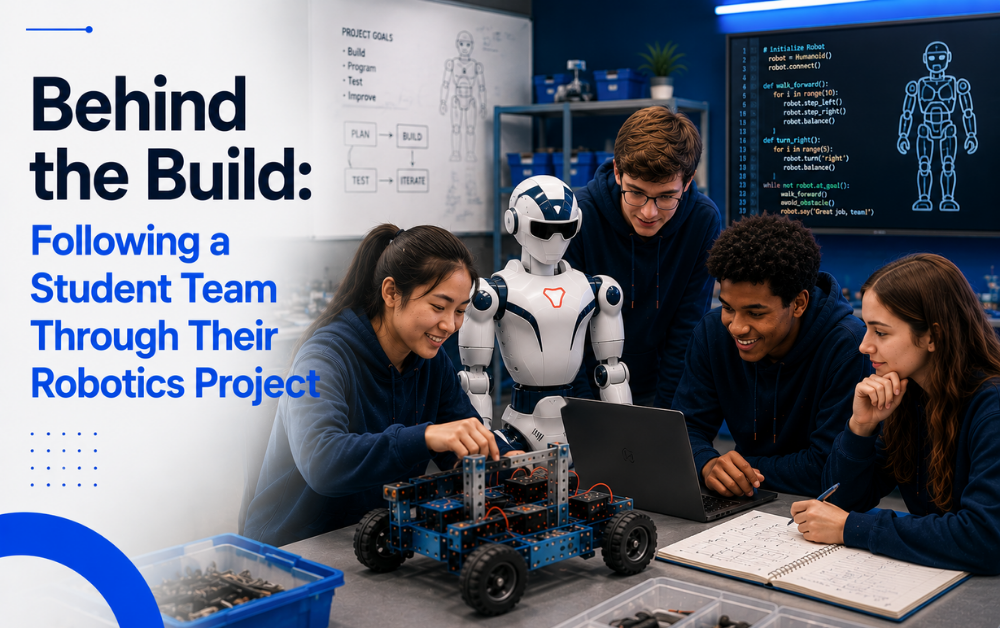
Nobody’s first attempt at a robotics project looks like the finished version. There’s a messy middle full of wrong turns, half-working code, and at least one moment where the whole team wants to start over.
At iCode Redmond, WA, that messy middle is treated as the actual lesson. Here’s what a student team’s humanoid robot build really looks like, start to finish.
Day One: Staring at a Blank Robot and a Big Idea
Every build starts the same way: a robot with no instructions loaded, a rough goal from a mentor, and a team of students who haven’t yet decided who’s doing what. It’s a slower start than it sounds — most of day one is just figuring out what’s actually possible.
There’s usually a moment early on where the goal sounds simpler than it turns out to be. A team might assume getting the robot to react to a sound is a quick task, only to realize there are several smaller problems hiding inside that one idea. Sorting that out before writing any code saves the team from redoing work later.
The First Team Meeting
- Talking through what the robot needs to do, in plain language, before anyone opens a laptop
- Sketching a rough plan for the order tasks need to happen in
- Picking a starting point small enough to test quickly, instead of tackling the whole goal at once
The Midpoint Wall: When Nothing Works
Almost every build hits a point where progress stalls completely. Code that worked yesterday breaks today. A part of the plan that seemed simple turns out to be the hardest thing the team has attempted.
The Bug That Stumps the Whole Team
There’s usually one problem that resists every fix the team tries first. Working through it — testing one idea, ruling it out, trying the next — is slower and more frustrating than anything in a textbook, and far closer to how real engineering actually works.
What the Team Does Instead of Giving Up
The teams that get past the wall are the ones that split the problem up, check each other’s assumptions, and keep testing in small steps rather than trying one big fix. That habit — not any single line of code — is the actual lesson of this stretch of the build.
It’s also usually the point where a team’s earlier role assignments get tested the hardest. The student who owns testing has to be honest about what’s actually failing, even when that means telling a teammate their code isn’t the problem — or that it is.
Week One: Turning an Idea Into an Actual Plan
The first real work isn’t code — it’s deciding, as a group, what the robot actually needs to do and who’s responsible for which part. Teams that skip this step almost always end up redoing work later.
Assigning the First Roles
Roles get sorted out fast once the team realizes nobody can do everything alone. One student usually gravitates toward movement and control, another toward sensing, another toward testing — and the assignments shift as the build goes on.
What surprises most teams is how much those roles overlap in practice. The student handling movement still needs to understand what the sensing code is producing, and the tester needs enough context on both to know what a “correct” result should even look like.
The First Small Win
The first time the robot does anything the team asked it to — even something small, like turning toward a sound — is a real turning point. It’s the moment a plan on paper starts to feel like it might actually work.
Why the Unitree R1 EDU Makes This Kind of Build Possible
A build like this only works if the platform can keep up with a team’s changing plans. The Unitree R1 EDU gives student teams enough range to test real ideas instead of hitting a hardware ceiling halfway through.
Quick Spec Snapshot
| Spec | Unitree R1 EDU |
| Weight | 25 kg |
| Degrees of Freedom | Up to 40 |
| Onboard Compute | NVIDIA Jetson Orin, 100 TOPS |
| Sensing | 3D LiDAR + depth cameras |
| Programming | Python / C++ via ROS 2 |
The Mentor’s Role During the Build
Mentors at iCode Redmond, WA check in at each stage as teachers and coaches, not as the ones doing the fixing. When a team hits the midpoint wall, a mentor is more likely to ask what’s already been tried than to step in and solve it.
What a Check-In Actually Sounds Like
A mentor walking up to a stuck team usually asks a short question — “what did the last test show you?” or “who on the team understands this part best?” — and then steps back. The fix, when it comes, is the team’s.
The Final Test Run
By the last session, the robot either does what the team set out to build, does part of it, or doesn’t work the way anyone hoped — and all three outcomes get the same treatment: a walkthrough of what happened and why.
That final run is less about a perfect result and more about a team that can explain, clearly, what they built and what they’d do differently with more time.
What This Kind of Project Teaches That a Worksheet Can’t
The World Economic Forum’s Future of Jobs Report 2025 estimates that 39% of core workplace skills will be disrupted by 2030 — and the skills that tend to survive that disruption are the ones built through exactly this kind of messy, hands-on process: adapting a plan, working through a stuck point, and communicating clearly under pressure.
A worksheet can teach a concept. It can’t put a team in a room with a robot that won’t cooperate and make them figure out what to do about it — which is exactly what a real build does, every time.
Frequently Asked Questions
Do all students on a team do the same kind of work?
No. Part of the build process is dividing work by role — movement, sensing, testing, presenting — so each student is doing a different piece and has to rely on teammates for the rest.
How involved are mentors during the build?
Mentors check in regularly and ask guiding questions, but the build decisions stay with the students. A mentor is more likely to ask what a team has already tried than to hand over a fix.
What’s the hardest part of a build for most teams?
It’s rarely the coding itself — it’s the middle stretch where an early plan stops working and the team has to figure out, without a clear answer in front of them, what to try next.
What robot platform do students build on?
Student teams build on the Unitree R1 EDU platform, which gives teams enough range — up to 40 degrees of freedom and real onboard sensing — to divide a project into meaningful parts.
By the time a team’s robot works the way they intended, they’ve already learned the harder lesson: how to keep going when it didn’t work the first ten times.
That’s the experience iCode Redmond, WA builds toward at iCode Redmond, one student-led build at a time.
Explore how it all fits together inside the College Accelerator Program.