

What Kind of Projects Can Students Build with a Humanoid Robot?
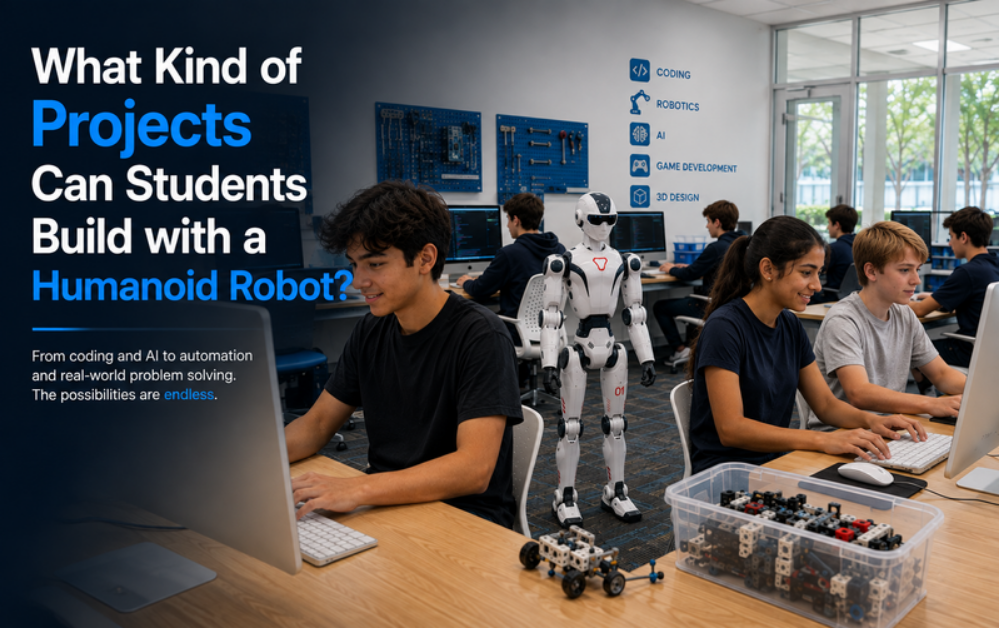
Redmond sits in the shadow of one of the world’s biggest software companies, and now its students get to write code that actually moves through physical space.
The real value of a humanoid robot in a classroom isn’t watching it perform — it’s what students build using it. Here’s a look at the kinds of projects that progression actually includes.
Programming Perception, Not Just Motion
Teaching a Robot to Recognize and Sort Objects
After movement, students build projects around perception — using the robot’s cameras to identify a specific object and decide what to do with it, instead of simply repeating a memorized motion.
Breaking the Project Into Stages
It typically comes down to defining the object, coding the detection logic, running tests to catch false matches, and finally programming what the robot physically does once it identifies the right target.
Where Every Student Project Begins
Coding a Path From Point A to Point B
Before students tackle anything advanced, they usually start by getting the robot to walk a short path and stop exactly where intended. It looks simple from the outside, but it teaches students how many small corrections go into a single steady step.
Capstone Projects Students Build Toward
Building a Sequence of Moves
One popular capstone project is a full choreographed sequence: students plan out a series of movements and gestures, then program the timing so it all runs smoothly from start to finish.
Obstacle Course Challenges
A different option is an obstacle-avoidance project, where the robot has to sense what’s in front of it and adjust its route on the fly, rather than repeating a fixed path.
Programming the Robot to Respond to People
Teaching the Robot to React to a Signal
These projects put a person in the loop. Students set up a trigger — spoken or visual — and program exactly how the robot should react once it picks that signal up.
Follow-Me and Guided Tour Routines
For a bigger challenge, students combine what they’ve learned into a follow-me project, having the robot track and trail a person, or a guided tour sequence that pauses at set stops.
Turning These Ideas Into Real Projects in Redmond, WA
How the Program Works
Students at iCode Redmond build every project above through the Youth Innovation Program, eight weeks of mentor-led sessions centered on a real humanoid robot rather than a screen-only simulation.
What These Projects Teach Beyond Robotics
The value in building these projects goes well beyond the robot sitting on the table.
- Planning a project in stages instead of all at once
- Staying patient while tracking down what went wrong
- Seeing how input from a sensor turns into a decision
- Explaining a finished build to someone else
Frequently Asked Questions
Are these real robots or simulations?
Real robots. Every project listed here is built and tested on an actual humanoid robotics platform, not a screen-only simulation.
How much of the project is the robot doing versus the student?
The robot only does what it’s programmed to do. Every action in these projects comes from code the student wrote and tested.
What if a student’s project doesn’t work on the first try?
That’s expected. A mentor walks students through debugging so they learn to identify and fix the issue rather than starting over from scratch.
Is there a final project at the end of the program?
Yes. Many students close out the program with a capstone-style project, such as a choreographed routine or an obstacle course, that combines several skills at once.
Ready to see these projects in action in Redmond? Visit iCode Redmond.